
EstiLumina
Project Management
The whole crew on one job record
Eight roles with per-member overrides, per-job access, discussions with @mentions on every job surface, and one account across workspaces.
Discussions live on the job record — the estimate line, the change order, the RFI, the invoice — never in a separate chat.
The job pressure
Roles live in a spreadsheet, questions live in text threads, and nobody can say who is on which job right now.
All packages — seats are per package; portal collaborators never use one
On the job
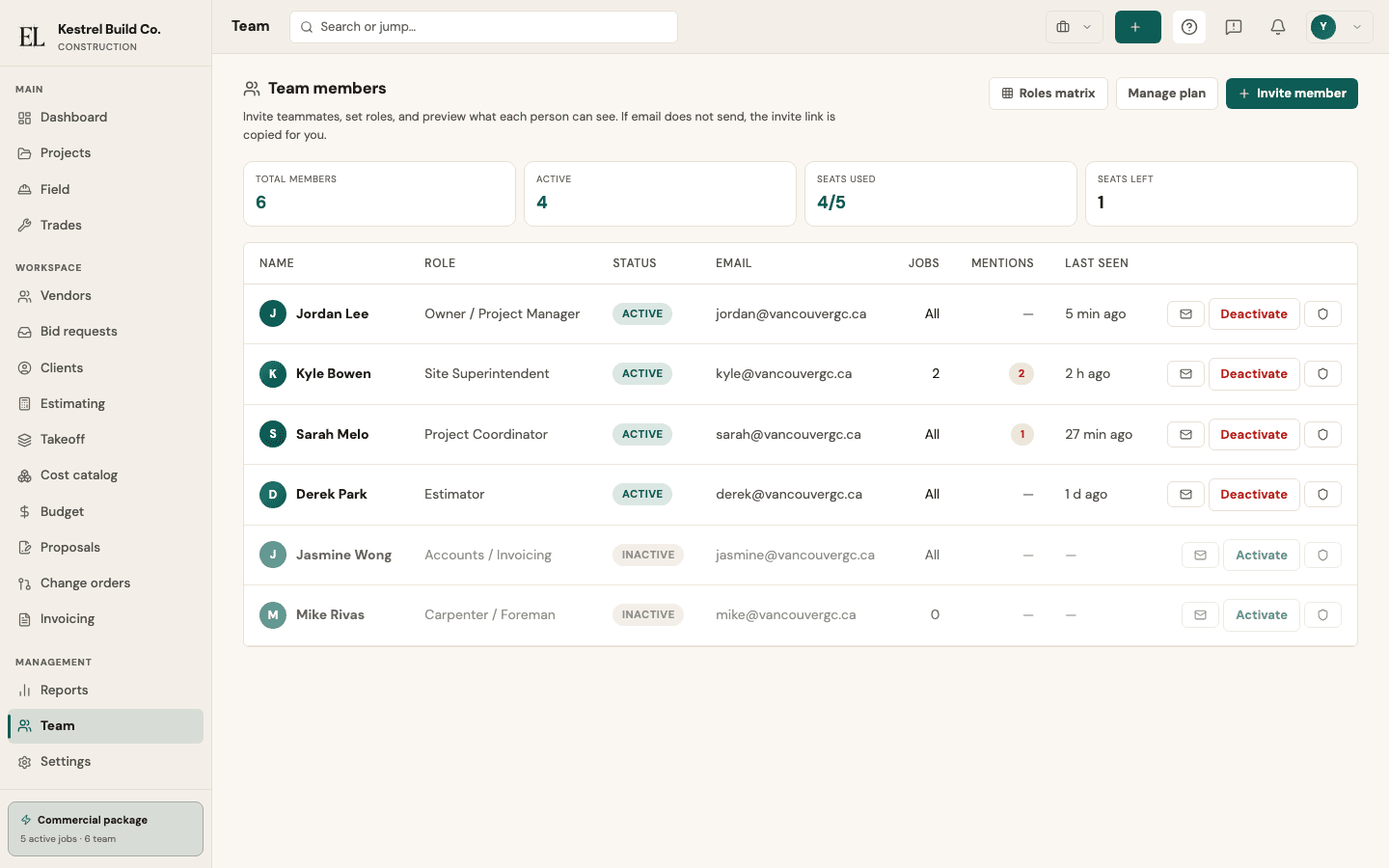
A construction team is more than a list of logins. On EstiLumina each person holds a role — eight of them, Accounting included — with defaults enforced at the database and per-member overrides that the roles matrix lists in one place, so an admin can see in a glance who differs from their role and put them back with a click.
Access is per job when it needs to be: a superintendent sees the jobs they are on, with a per-job role and per-job grants beside the org role. Invites go out by the list — paste the addresses, pick the role for the batch, and the roster check tells you who is already on the team.
Questions stay where they belong. A discussion lives on the job home, an estimate line, a change order, an RFI, or an invoice; an @mention lands in the teammate’s inbox and by email or push if they chose so; the thread updates live for everyone on the job, and “2 people here” on the surface says who is looking at it with you. One sign-in can belong to more than one workspace — a consultant estimator or a shared superintendent switches from the account menu.
How it works
- 1
Invite people by the list — paste addresses with a role for the batch; the roster is checked, links are ready to share.
- 2
Give each person a role (eight, Accounting included) and, per job, the grants and the role they hold there.
- 3
Ask in a discussion on the job, the estimate line, the change order, the RFI, or the invoice — @mention a teammate and it lands in their inbox.
- 4
Read the roles matrix: every role default and every per-member override in one place, reset in a click.
What you get
- Eight roles — Admin, Project Manager, Coordinator, Estimator, Accounting, Site Superintendent, Field, Viewer — enforced at the database
- Roles matrix with per-member overrides; per-job grants and a per-job role
- Discussions with @mentions on job home, estimate, change orders, RFIs, and invoices; resolve what is settled
- Presence: who is on a job surface right now; last seen on the Team page
- Profile depth — title, phone, timezone, units, signature — and per-person notification preferences
- One account, many workspaces, and two-factor sign-in for anyone
Why teams subscribe
- The right people see the right jobs, and the matrix proves it
- Questions stay on the estimate line or change order they are about
- A consultant works in two builders’ workspaces from one sign-in
Honest boundaries
- Not a chat app — discussions live on the job record, not in a channel.
- Not a time clock — field time is its own feature.
Put this on your next job